background starry image

Steadybit vs. Gremlin

Rolling out chaos engineering is easier when you can fully customize your tool to fit your organization. With Steadybit, you can make it your own.

steadybit platform for chaos engineering
Take a tour

Why teams go with Steadybit over Gremlin

Steadybit is the only chaos engineering tool that offers open source customization with enterprise-grade features.

Easier to Deploy

Steadybit easily integrates with your tech stack, whether it’s SaaS, On-Prem, air-gapped, multi-cloud, serverless… With one agent per network, deployment is simple.

Fully Customizable

With an open source extension framework, Steadybit enables teams to customize the platform to perfectly fit their systems and use cases. Add your own custom actions!

Get Insights Faster

We provide recommended experiments so you can get value from experiments right away. Try a variety of attacks quickly and safely with our library of ready-to-run templates.

Make Steadybit Your Own with Custom Extensions

Add your own custom extensions, checks, attacks, load tests, & advice.

Need a new integration or want to inject a custom fault? With Gremlin’s closed-source architecture, you would need to submit a feature request and wait.

With Extension Kits, you can build on top of Steadybit to create the perfect solution for your organization. Get the benefits of a in-house tool without the maintenance.

Need inspiration? Use our library of 200+ open source actions and templates anytime.

Steadybit Lowers the Chaos Engineering Learning Curve

With an intuitive, extensible platform; it’s easier to shift left your testing and build a culture of reliability.

Comparing Steadybit vs. Other Tools

See the exact benefits of reliability testing with Steadybit compared to other tools like Gremlin

Read More
Building Your First Experiment

Watch to see how easy building new experiments can be with Steadybit.

Read More
Running Your First Experiment

View your experiments run in real-time within the Steadybit platform.

Read More
Reviewing Reliability Advice

Start making reliability improvements fast by reviewing issues Steadybit flags automatically.

Read More
Automating Experiment Workflows

Incorporate experiments into your software development however you want by using the Steadybit API and CLI.

Read More

Comparing Steadybit vs. Gremlin

GETTING STARTED FAST

Automatic Reliability Issue Discovery
Reliability Advice - 15 checks out-of-the-box and add your own custom advice
Reliability Score - 10 health checks out-of-the-box and no customization
Recommended Experiments
Create specific experiments in one-click directly from Advice prompts
Limited, non-specific set of recommended scenarios
Custom Experiment Templates
Users can import 56 open source experiment templates or create their own
Users can use a limited set of recommended scenarios or create their own

PLATFORM FEATURES

Environment Visualization
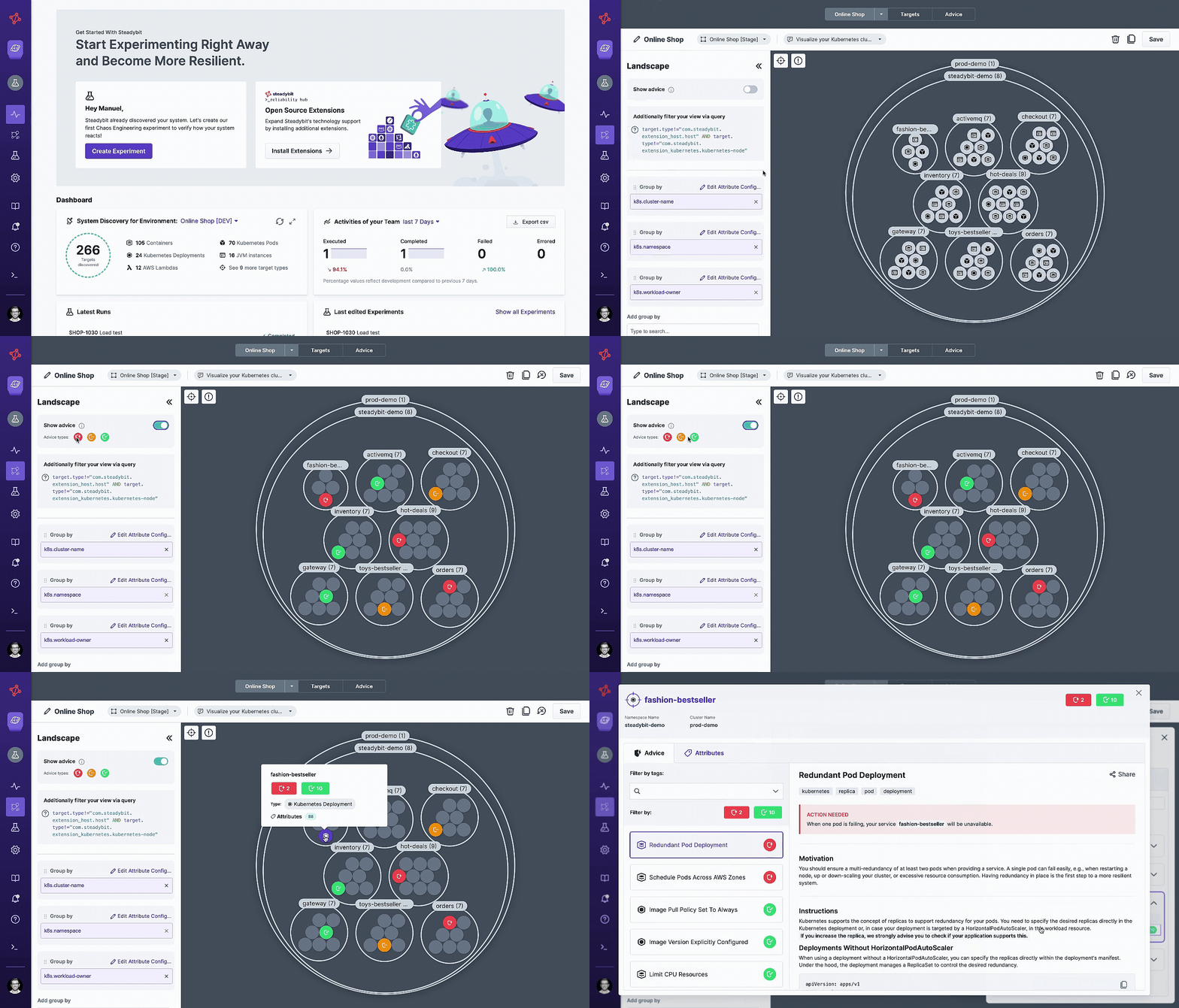
Landscape Explorer shows systems visually, with customizable grouping and filtering
No visualization for environments and limited grouping and filtering capabilities
Experiment Designer
Timeline-based editor with drag-and-drop actions
Form-based editor with limited customization
Real-time Experiment Runner
Yes, with strong integration for observability tools
Yes, but limited integration with observability tools
Reporting and Analytics
7 pre-built reports on experiment activity & support for custom reports
3 pre-built reports

SCALABILITY & ARCHITECTURE

Customization Options
Add custom extensions, attacks, checks, load tests, and advice with our open source kits
Very limited customization options
Agent Deployment
Install one agent per network boundary
Install one agents in each host separately, which requires time-intensive configuration
Open Source Extensibility
Kits to create extensions, targets, actions, events, advice, & templates
No extension framework
On-Premises Deployment
Industry-leading enterprise support with full feature parity since 2019
Announced support in 2025, untested product offering and team support
Transparent Pricing

price icon Predictable Pricing

Our plans are designed so there are no surprise charges as you are rolling out chaos engineering across your organization.
Get Details on Plans
Open Source Extensions

Open Source Integrations

Sometimes your organization may need proprietary or niche solutions. Leverage our extension kits to gain flexibility and make Steadybit your own.
Explore Extensions
Ready to get started

Ready to get started?

Create an free trial to explore the Steadybit platform up close. We’re happy to answer any specific questions you have. Just reach out.

  • Salesforce logo featured on a blue cloud.
    "With Steadybit, we identified issues and took corrective measures, improving our overall system resilience. The efficiency of finding these weak spots has vastly increased with Steadybit, and the time to deliver a solution has significantly decreased. We're moving closer to achieving our target of 99.99% uptime."

    Krishna Palati

    Director of Software Engineering

  • rewe digital logo
    “Steadybit makes it easy to inject faults and really test our system reliability. Their team delivered a new Kafka extension for us that has unlocked new testing possibilities. They are a supportive partner that has made introducing the platforms to new teams easy.”

    Jan Rundshagen

    Cloud Platform Engineer

  • manomano
    "Steadybit's efficiency enabled us to simulate and anticipate incidents, fostering proactive problem-solving across our teams."

    Antoine Choimet

    Site Reliability Engineer

Steadybit delivers a better enterprise experience

A circular icon with interconnected nodes, symbolizing network connections, system dependencies, or distributed services in a digital environment. The nodes are arranged in a structure that suggests communication or data flow between systems.
Targeting and Visualization
Support for On-Premises
A circular icon featuring a puzzle piece, symbolizing integration, solutions, or fitting components together. It is often used to represent problem-solving, system configurations, or the assembly of different parts in software or systems.
Monitoring and Load Testing
A circular icon with interconnected nodes, symbolizing network connections, system dependencies, or distributed services in a digital environment. The nodes are arranged in a structure that suggests communication or data flow between systems.

Query targets to create the exact experiment you want

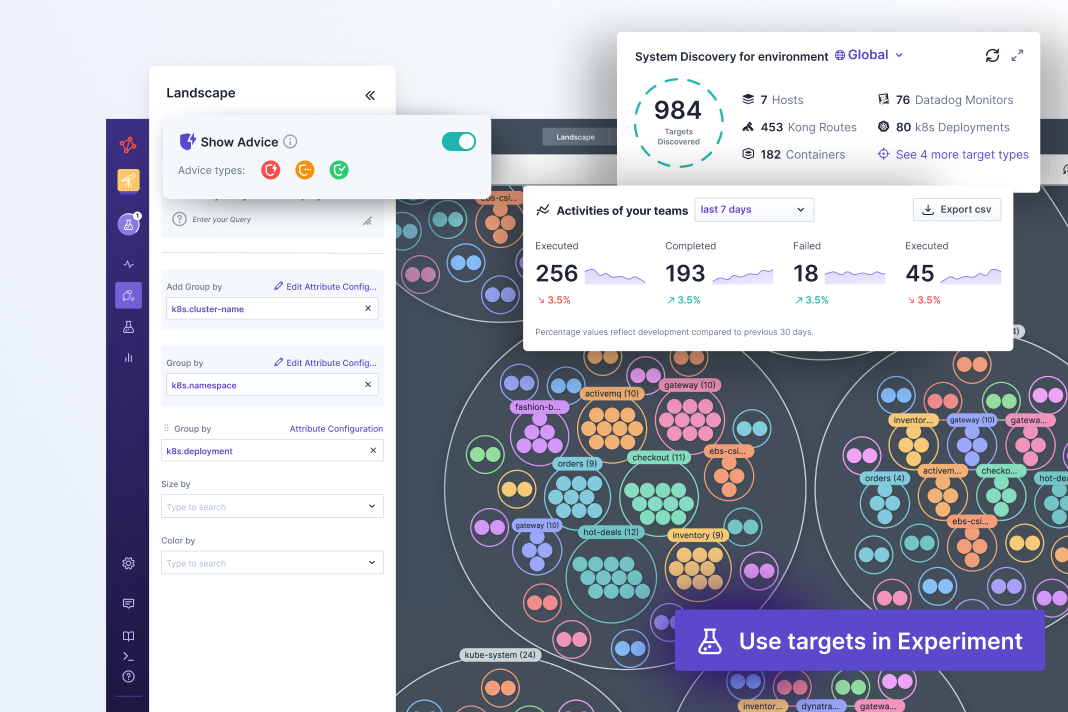
When you install our agent on your network, Steadybit will automatically discover any potential experiment targets and pull in related metadata from your environment. With our intuitive query language, you can easily explore targets and view them in an interactive visualization with groups and filters.

Gremlin doesn’t provide a interactive visualization of your systems. There are limited options for selecting targets for experiments, and no ability to add custom attributes.

on-prem

Years of experience supporting complex On-Prem deployments

Steadybit has always supported both SaaS and On-Prem deployments with full feature parity from Day 1. Our team has helped enterprise customers deploy and update Steadybit On-Prem for years.

Gremlin has recently announced On-Prem support for the first time as of January 2025. As with any new re-architected product offering, customers will likely encounter unexpected challenges and deployment complications.
A circular icon featuring a puzzle piece, symbolizing integration, solutions, or fitting components together. It is often used to represent problem-solving, system configurations, or the assembly of different parts in software or systems.

Bidirectional integrations with popular observability tools

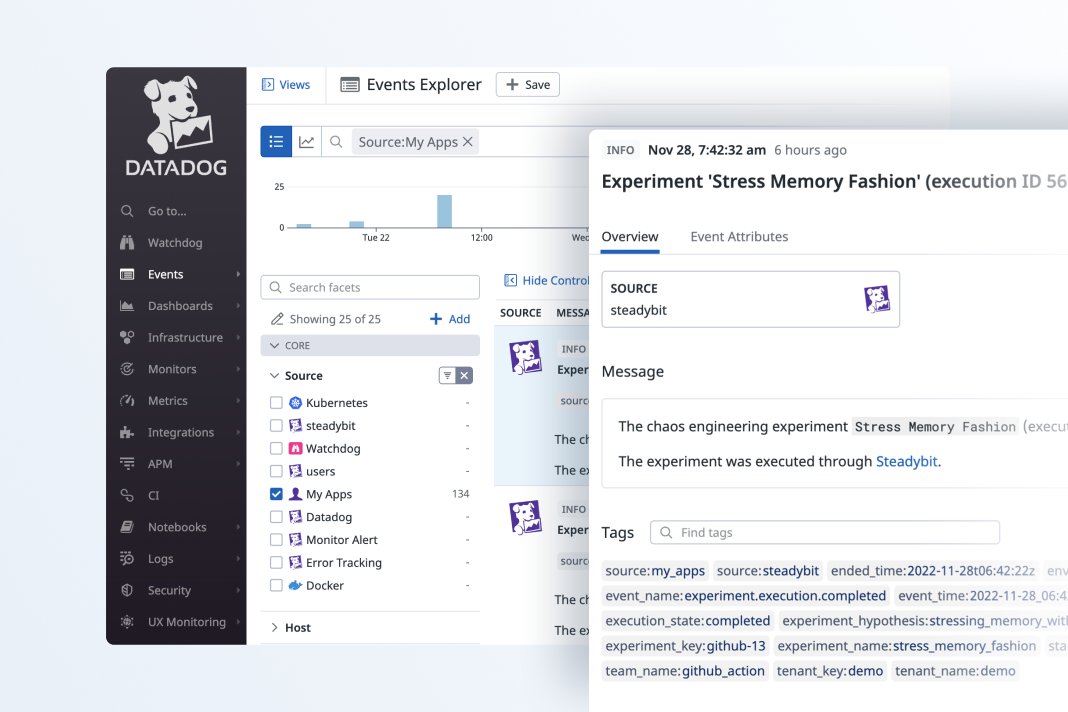
Monitoring and observability tools are key for seeing how your systems perform. Steadybit has tight integrations with tools like Datadog, Dynatrace, Grafana, Prometheus, Instana, and more. While you watch your experiment run, you’ll be able to see in real-time whether your monitoring tool raises an alert.

With Gremlin, there is support for some monitoring tools but the integrations are limited. For example, you can’t see if alerts are triggered while you watch your experiment run.

Faster Deployment and an Open Source Framework

Gremlin is a closed-sourced tool that requires an agent to be installed on each host. Steadybit is a hybrid-source platform that only requires one agent per network boundary. That means more flexibility and less setup time for your team.

Get a Personalized Demo

Ready to hear more about Steadybit?

Schedule a demo with our team to see a platform walk-through and get your questions answered.

ufo image