
Detect Issues Early with Reliability Advice
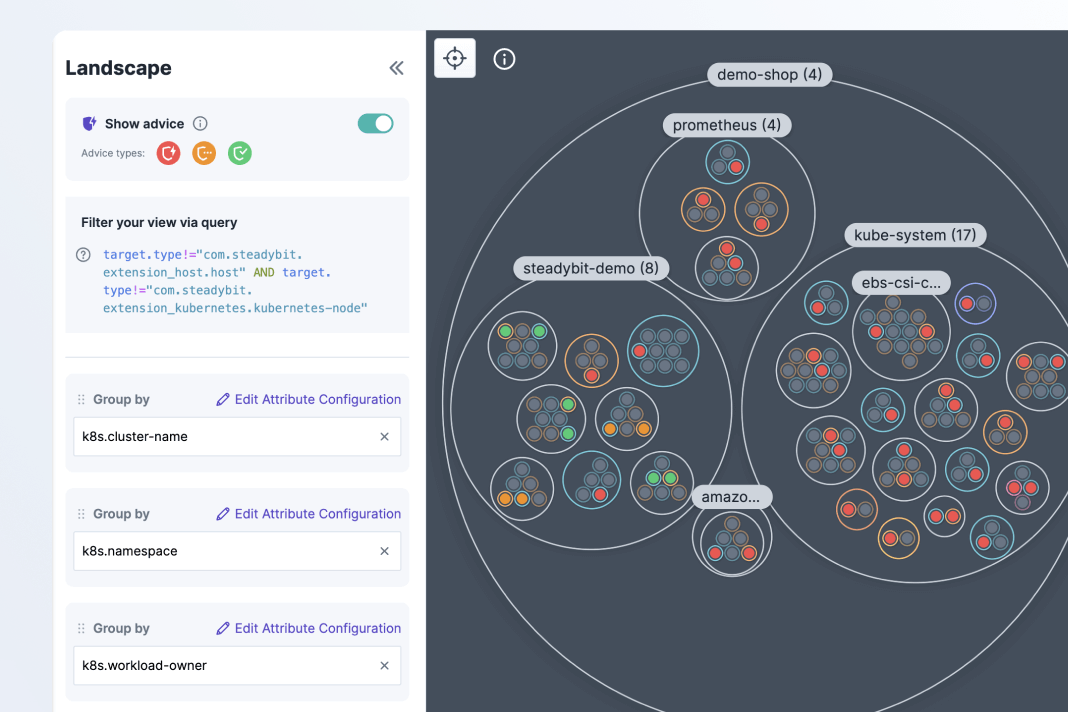
Visualize and detect reliability risks across your services
Steadybit will automatically discover targets for experiments when you install the extensions relevant to your tech stack, . For example, once you install the Kubernetes extension, you’ll see targets including Kubernetes deployments, clusters, pods, daemonsets, nodes, ingresses, and more.
In the Explorer view, you can learn more about your services by filtering and grouping targets by regions, availability zones, or other discovered properties. By turning on Reliability Advice, you will instantly see whether targets have potential reliability risks.

Connect Extensions
Install extensions for your key tools to discover different target types

Explore Your Services
Run simple queries to filter and group your targets to learn about your systems

Get Reliability Advice
Toggle on Reliability Advice to see detected issues and recommended experiments
Reveal reliability weaknesses with 1 click
Advice detects where your Kubernetes configuration deviates from best practices and provides instructions.
In this 101 video, Manuel Gerding shares how the Reliability Advice feature in Steadybit enables teams to automatically detect issues and validate them quickly with recommended experiments.
Read MoreThere are 13 out-of-the-box reliability checks for Kubernetes, based on the open source Kube-score project
Read MoreWrite your own custom advice to check your services for compliance with internal best practices.
Read More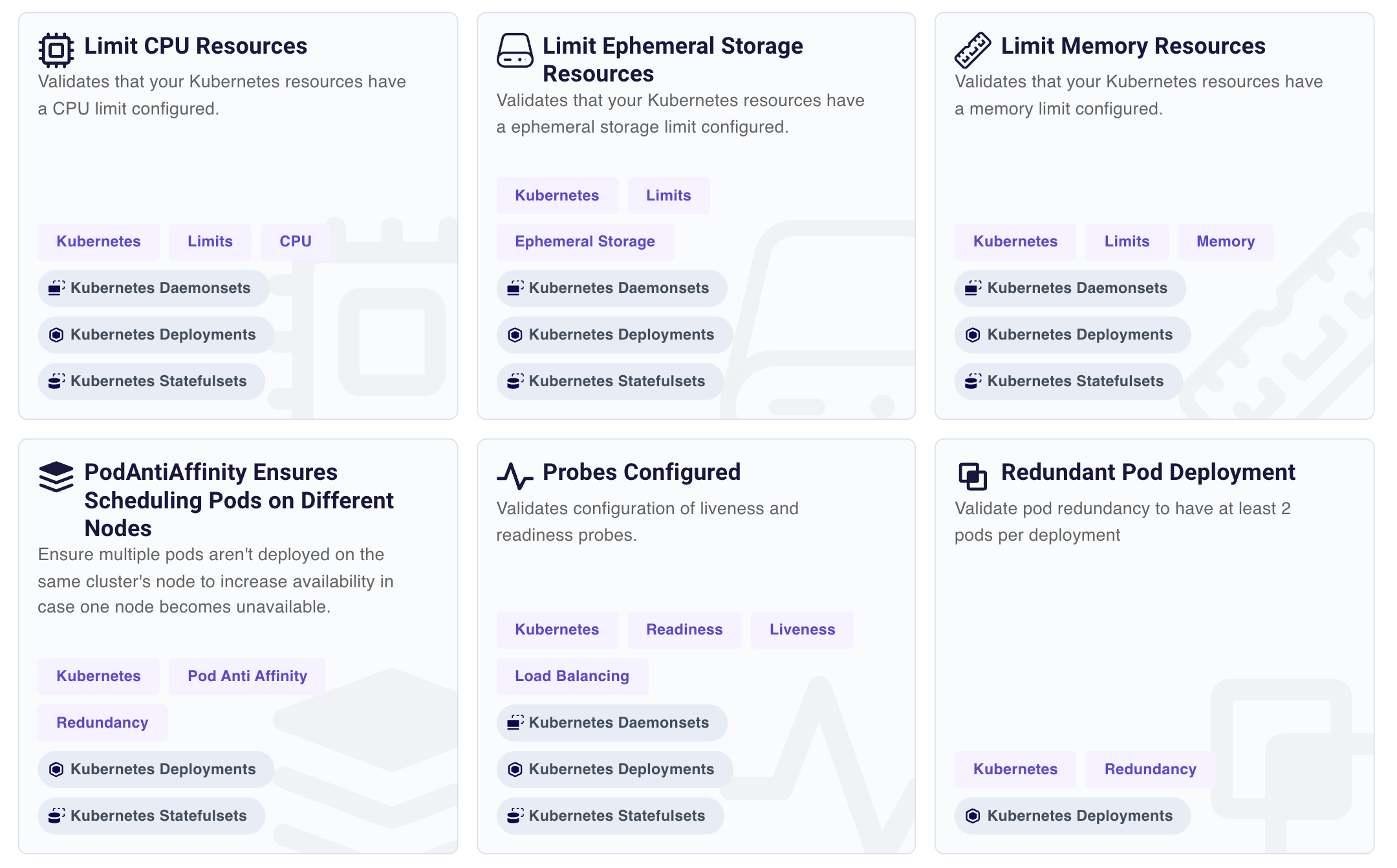
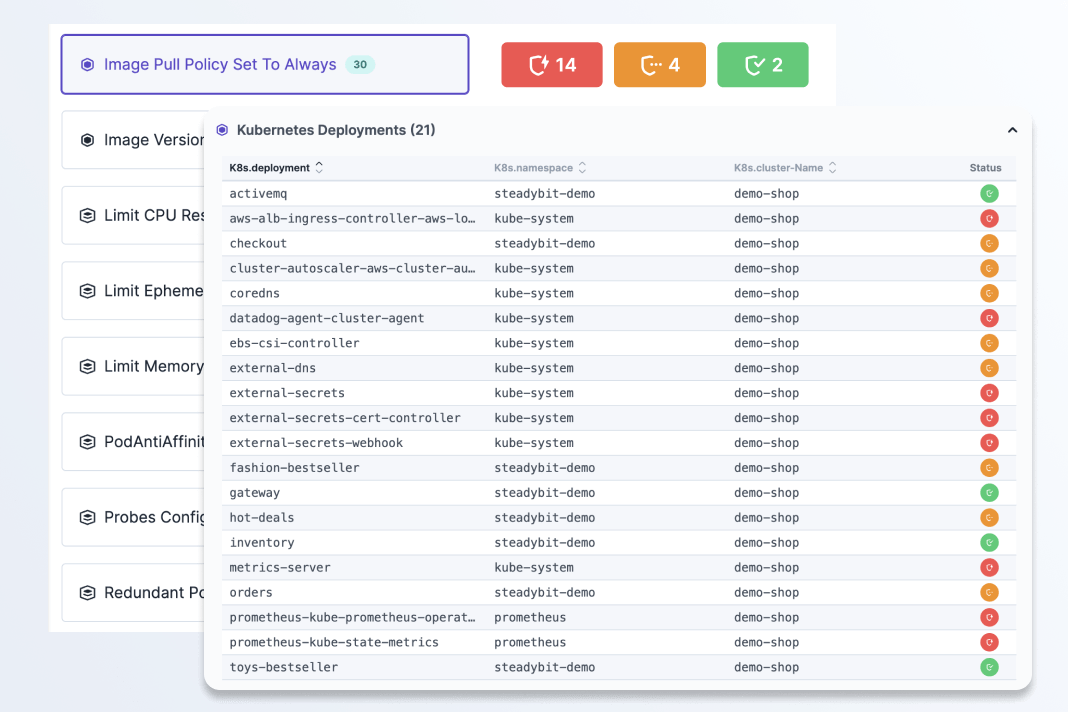
See flagged configuration issues that may pose reliability risks
Reliability Advice automatically detects if you have any common reliability issues in your Kubernetes clusters. You will also see recommendations for what experiments to run to test the potential impact of outstanding issues or validate fixes.
Advice is made up of 13 out-of-the-box checks. You can explore in more detail in the Reliability Hub, our open source component library.
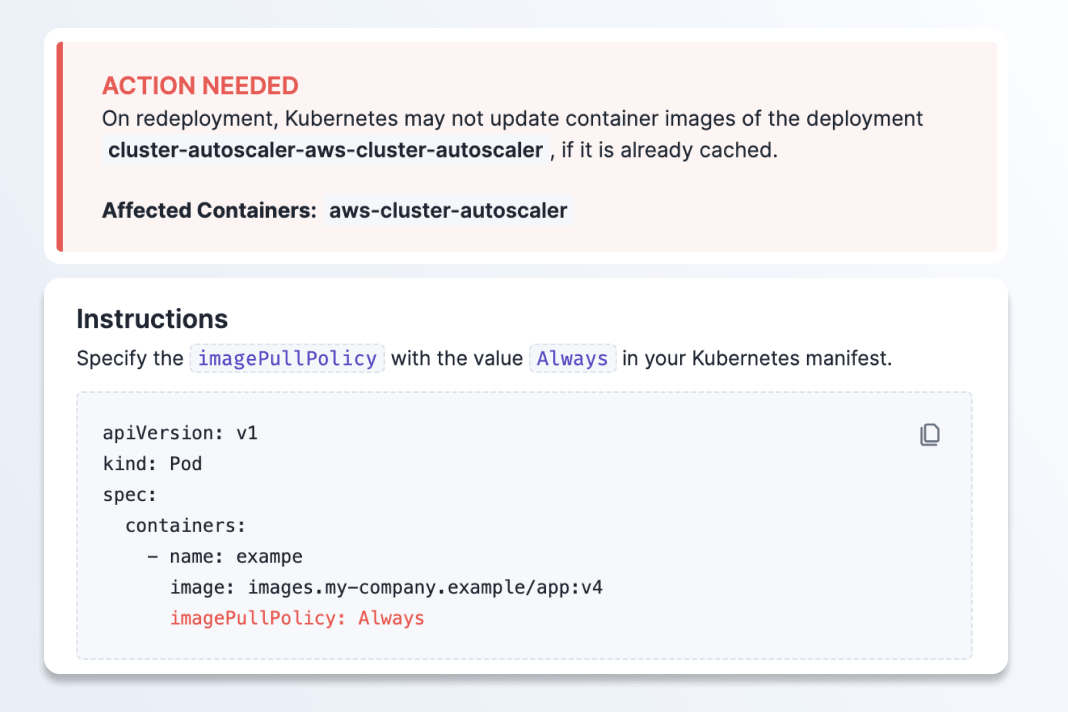
Fix reliability gaps with code-specific instructions
When Reliability Advice flags an issue, you will see specific instructions on exactly where the problem is and how to fix it in your code.
This ongoing guidance enables you to catch and fix issues proactively so this type of technical debt doesn’t compound.
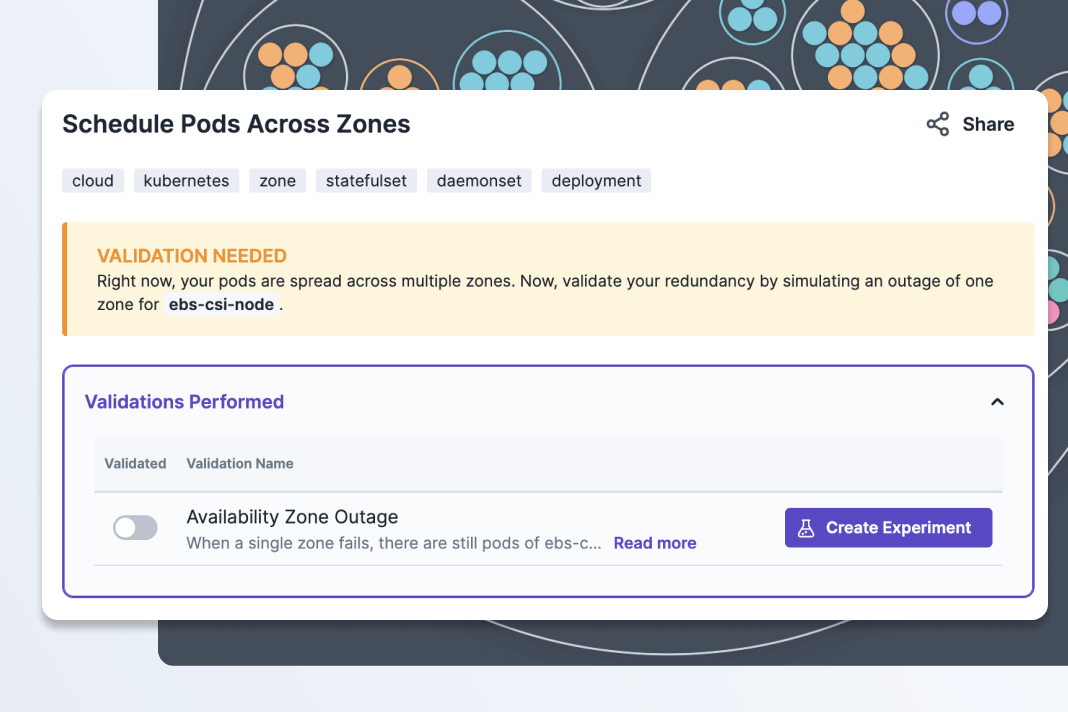
Validate if your fix resolved the issue with experiment templates
You can then run an experiment to validate if this flagged issues is a real reliability risk or check that the fix you put into place works.
If there is an experiment template for your specific issue, you’ll see a “Create Experiment” button. With a few clicks, you’ll have a ready-to-run experiment to prove whether this issue perists or is resolved.
Browse Advice and Templates in the Reliability Hub
See what types of actions, targets, and templates are waiting for you and your team in our open source library.