

Chaos Engineering for AWS
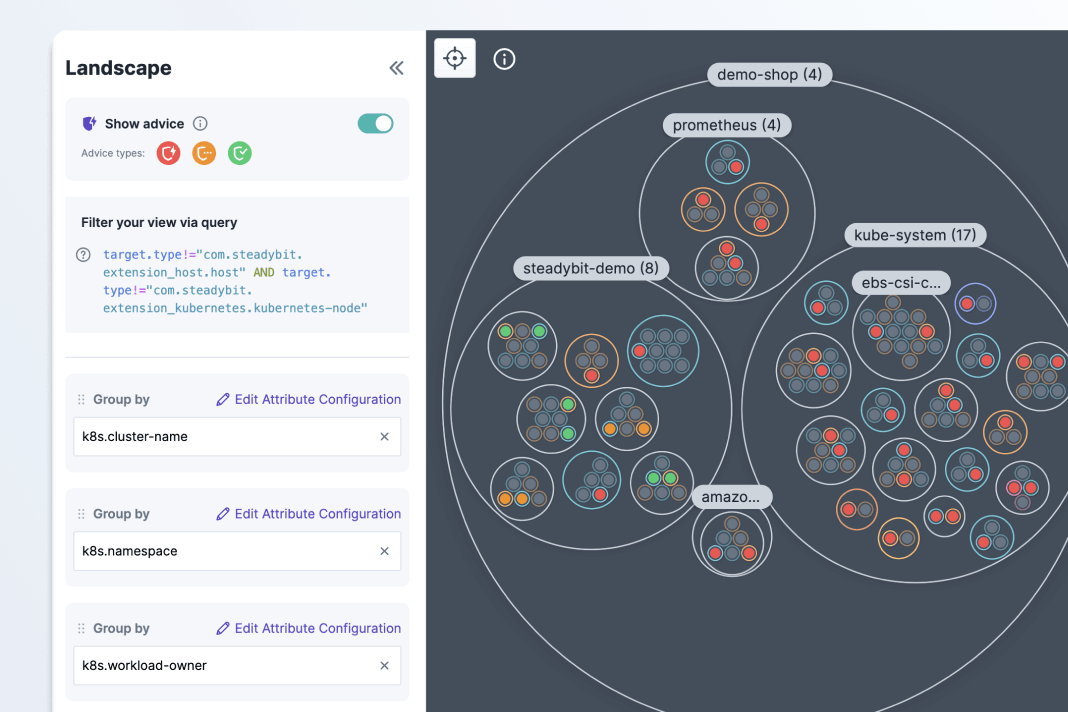
Test system reliability across the AWS ecosystem & beyond
If you’re running AWS-based applications, your system reliability isn’t guaranteed. If you’re not testing disruptions from dependencies, scaling demand, or inconsistent redundancies; you’re relying on a strategy of hope.
While AWS Fault Injection Service (FIS) can be a helpful tool for initial testing, it has a limited scope. You can run network, resource, and application tests across your AWS systems and beyond with a tool like Steadybit.
With one central reliability testing platform, you can execute experiments to validate your system behaviors across hosts, containers, clusters, databases, services meshes, and more. Install the AWS extension for Steadybit to instantly discover reliability vulnerabilities and verify risks with pre-built experiment templates.
Achieve AWS operational excellence
Chaos engineering is a critical practice for adhering to the reliability pillar of the AWS Well-Architected Framework. By running chaos experiments over time, you can verify your architecture and workload requirements and ensure continuity as systems change. AWS provides configuration recommendations and you can test whether these are implemented across your organization with Reliability Advice in Steadybit.
Proactive reliability testing can also provide teams with the documentation they need to comply with industry standards like DORA in the European Union. For example, DORA requires organizations to prove that they have disaster recovery plans and have tested them regularly. With chaos tests, your team can test run your incident response playbooks, validate monitoring alerts, and build an audit trail for streamlined compliance.
Map out your performance limits with reliability tests
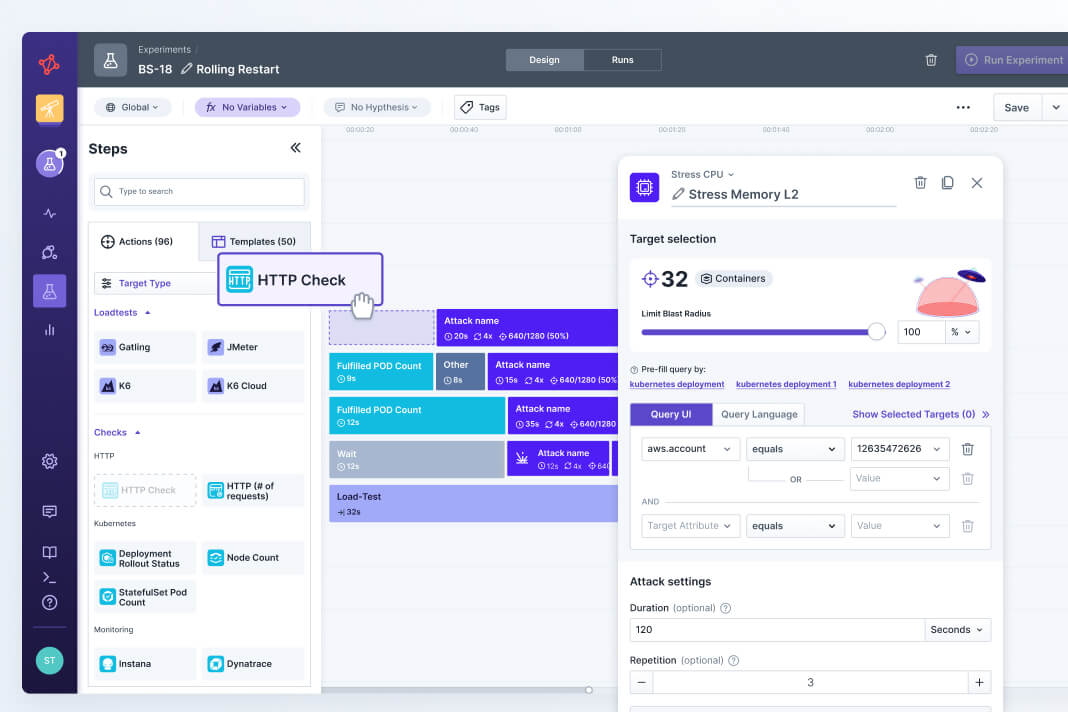
Push your systems to their limits with controlled chaos experiments. With Steadybit, you have access to a library of AWS experiment templates that enable your team to run complex failure scenarios in minutes. For example, you can simulate an availability zone outage to verify that your load balancer correctly reroutes traffic. Scale up and down your EKS clusters and validate that your application performance meets your expectations.
By testing RDS failover times and EBS performance degradation directly, you ensure your data layer consistently meets its recovery time objectives. Shift reactive SRE work into proactive testing and learning. By finding performance limits earlier in the software development lifecycle, you can prevent critical incidents for your customers.
Find Easy Reliability Wins in Steadybit
In this quick walkthrough, you can tour the Steadybit platform and see exactly how accessible reliability testing can be.
Build reliability experiments for AWS
Use no-code fault injections and health checks to stress test the reliability of your AWS systems.
Attacks
Templates
Targets

Run an AWS FIS Experiment
Kick off an existing AWS FIS experiment.
Fill Diskspace
Fills tmp diskspace of the function.
Inject Latency
Run this action to inject latency into the function.
Inject Exception
Inject an exception into the function.
Blackhole Subnet
This attack simulates a network outage of a subnet.
Blackhole Zone
Simulate an outage of an entire availability zone.
Block TCP Connections
Block outbound connections to specified hosts during execution.
Change EC2 Instance State
Reboot, terminate, stop or hibernate EC2 instances.
Block DNS
This attack blocks access to DNS servers.
Block Traffic
Block network traffic (incoming and outgoing) for set time.
Delay Outgoing Traffic
Inject latency into egress network traffic.
Fill Disk
Run this action to write data to the disk.
Stress Memory
Stress memory with ongoing reallocation.
Stress IO
Generate read/write operation on hard disks.
Reboot RDS instance
Reboot a single RDS database instance.
Return Static Response
Return a static response for a given load balancer listener.
Trigger DB Cluster Failover
Trigger failover by promoting a standby instance to primary.
Trigger DB Instance Stop
Run this action to stop a DB instance for a given time.
Trigger Elasticache Failover
Trigger failover by promoting a replica node to primary.
Trigger MSK Broker Reboot
Leverage the AWS MSK API to trigger a broker reboot.
Limit Network Threads
Change the number of network threads per broker.Explore the Action Library
Browse the full catalog of actions.

Test If AWS ECS Service Scales Up In Reasonable Time
Verify that your ECS service is able to scale up within time on increased CPU usage.
Check if Load Balancer Covers a Zone Outage of a Kubernetes Workload
Test failover processes by simulating Zone outages.
Test a Load Balancer Endpoint During an AWS EC2 Restart
Check whether your application is elastic as well by rebooting an EC2 instance.
Test Endpoint Success Rate During an AWS Zone Outage
Ensure that failover works seamlessly by simulating Zone outages.
Test Kubernetes Node's Outgoing Traffic During Network Loss in a Zone
Check cluster events when a zone suffers from network loss.
Simulate a Network Outage for Kubernetes Nodes
Check what happens to your Kubernetes cluster when one of the zones is down.
Check if New Relic Detects an Incident for CPU Spikes
Validate your observability to detect a CPU spike in your AWS ECS cluster.
Test if ECS Service Scales Up in Reasonable Time
Ensure that your ECS service can scale up to a desired task count in time.Explore Experiment Templates
View more open source templates.
Availability Zones
Subnets
FIS Experiment Templates
Application Load Balancers
AWS Lambdas
EC2 Instances
ECS Tasks
MSK Brokers
RDS Instances
RDS Clusters
ECS Services
Elasticaches
Explore More Targets
View the full list of targets.
Steadybit makes chaos engineering easy for teams
With one platform, you can detect issues automatically and run experiments to validate system behaviors.
Install the Steadybit extension for AWS to instantly discover targets and run attacks and checks on your systems.
Read MoreUtilize your existing FIS tests and expand them with Steadybit's extension framework.
Read MoreTest your database failover processes with a chaos experiment for RDS.
Read More
Use open source extensions to deploy across technologies
Steadybit has a hybrid architecture that enables open source customization. With open source extensions for popular technologies in the Reliability Hub, it’s easy to roll out chaos engineering across systems.
- Support for any configuration: Cloud, Multi-cloud, On-Prem, Air-gapped, Kubernetes, VMs, Serverless, Service Mesh, Message Brokers, etc.
- Inject faults and run health checks at the network, resource, and application layers
- Visualize your systems and group targets with discovered metadata
Get a Personalized Demo
Ready to hear more about Steadybit?
Schedule a demo with our team to see a platform walk-through and get your questions answered.